
Poly Bridge 3
Dry Cactus LimitedSimulation
4.141.00 Reviews
- Version
- 1.1.8
- Installs
- 100.00K
- Age Rating
- Everyone
Screenshots

Our Review of Poly Bridge 3
 Analysis by Appyee
I like bridge-building games most when they let me learn by trying, failing, and making one small adjustment at a time. That’s the appeal of Poly Bridge 3: it turns a simple crossing problem into a hands-on puzzle about how a structure behaves. I would reach for it when I want a thoughtful game I can play in short bursts, though its trial-and-error rhythm won’t suit everyone.
Where the mobile version stands
On Android, this is a paid simulation game from Dry Cactus Limited. It costs $2.99, is rated Everyone, and has a 4.1 average from around 330 ratings, with more than 100,000 installs. The current version is 1.1.8, and it runs on Android 6.0 or later. Those details make it easier to judge the practical commitment: it is a one-time purchase rather than a free game to sample, so I’d first ask whether structural puzzles sound fun enough to justify paying for them.
The game’s central pleasure is not simply drawing a route across a gap. You build with a limited budget and available materials, then watch vehicles test the result. When a bridge bends or gives way, the failure is useful evidence: it points back to a joint, span, or support that needs rethinking. I find that more satisfying than a puzzle that only tells me I chose the wrong answer.
What the current version means for players
The confirmed release date is Aug 23, 2024, and the current version is 1.1.8. That tells me which version a new Android player is looking at, but it does not, by itself, establish what changed between releases. I wouldn’t treat a version number as proof of a particular new level, feature, or performance improvement. For someone already playing, the practical question is whether the installed game is up to date and whether its available challenges still match what they want from it.
For a returning player, the safest expectation is continuity with the game’s core bridge-building loop rather than a promised overhaul. If you have stepped away, it is worth returning with a specific goal—such as revisiting a troublesome design or trying a community level—rather than assuming the latest version has rewritten the experience. New players can begin with the tutorials and build confidence before taking on the less forgiving problems.
The mobile format also changes how I’d approach a session. I would tackle a level when I have enough attention to compare a couple of designs, not while rushing between other tasks. A quick attempt can be satisfying, but diagnosing why a bridge fails is easier when I can focus on the test and remember what I changed.
Deciding whether it fits your routine
A realistic use case is a quiet break at home: I open a level, sketch a modest crossing, run a vehicle over it, and spend the rest of the break adjusting the weakest part. That works well for me because progress comes from observation, not quick reactions. If I only have a minute and want instant action, this is a poor fit; if I have a little time to think, the repeated tests can make a small session feel complete.
Compared with the usual alternatives in the puzzle category, this asks more of your spatial reasoning and patience than a conventional logic grid or match-style game. It is less about spotting a single hidden answer and more about creating a design that survives a physical test while respecting constraints. That difference is the main reason to choose it—and also a reason to skip it if you prefer puzzles with a clear, fixed solution and little experimentation.
I also wouldn’t recommend it to someone looking primarily for a realistic engineering course. The game uses bridge-building ideas as playful challenges, not as a substitute for technical instruction. Curious younger players may enjoy seeing how changes affect a structure, and the Everyone rating makes it broadly accessible, but an adult should still decide whether this style of trial and error is a good match for the player.
Welcome to the World of Bridge Building
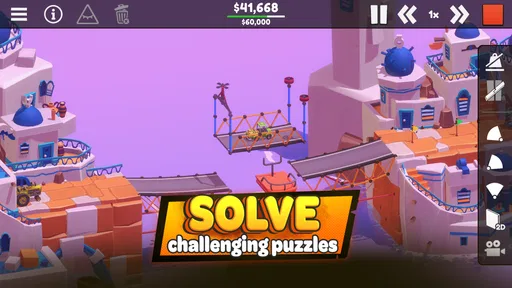
Poly Bridge 3 is the latest installment in the beloved bridge-building series. The game offers a pretty simple premise: build a bridge to get vehicles from point A to point B. But don’t let its simplicity fool you; it’s packed with levels that will test your creativity, logic, and patience.
The graphics are charmingly minimalistic, focusing more on functionality than flashy visuals. This approach keeps the game light and ensures that it runs smoothly on both Android and iOS devices. I found the user interface intuitive, making it easy to dive right into the action without a steep learning curve.
Gameplay Mechanics
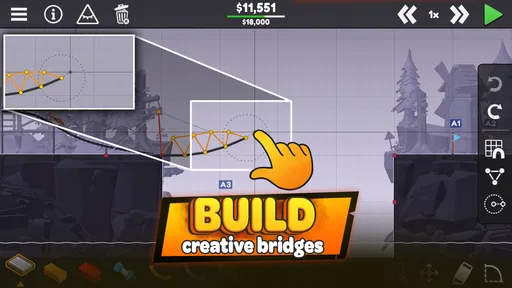
Once you start playing, you quickly realize that each level is a puzzle waiting to be solved. You’re given a budget and specific materials to work with, such as wood, steel, and cables, to construct your bridge. The catch? You have to ensure that it holds up against the weight of the vehicles passing over it.
The physics engine in Poly Bridge 3 is impressively realistic. You’ll need to take into account the forces acting on your bridge and use various techniques like tension and compression to keep your structure stable. It’s a delightful challenge that makes you feel like a real engineer.
Features to Get Excited About
One of the standout features is the sandbox mode. Here, you have the freedom to let your imagination run wild without any constraints. It’s perfect for those who want to experiment with different designs or just have fun seeing how crazy their creations can get.
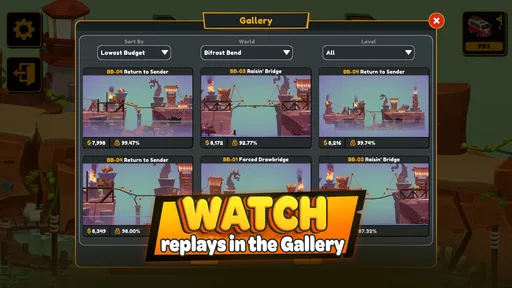
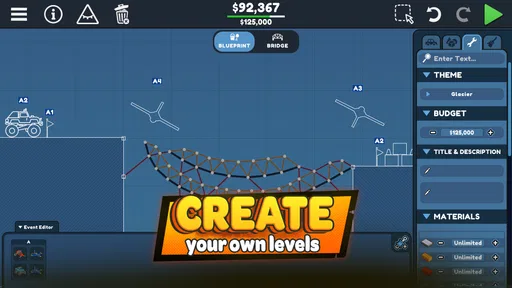
Another cool addition is the community level gallery. You can explore levels created by other players, adding an endless stream of challenges and creativity. It’s a fantastic way to engage with the community and see how others tackle the same problems you face.
The game also offers a comprehensive tutorial mode. Trust me, it’s worth spending some time here to get a grip on the mechanics. The tutorials guide you through the basics and gradually introduce more complex concepts, ensuring you’re well-equipped to tackle the tougher levels.
Why It’s a Must-Try
If you’re a fan of puzzle games that keep you engaged for hours on end, Poly Bridge 3 is a must-try. It’s more than just a game; it’s a test of your problem-solving skills and creativity. I found myself getting lost in the process, tweaking various parts of my bridge to perfection.
The game’s difficulty ramps up naturally, ensuring a satisfying progression that keeps you hooked. There’s nothing quite like the feeling of finally seeing your bridge hold up after numerous attempts. It’s a rewarding experience that keeps you coming back for more.
Final Thoughts
Overall, Poly Bridge 3 is a delightful and challenging game that’s well worth your time. Whether you’re a seasoned pro or a newcomer to the series, there’s something here for everyone. It’s the perfect blend of simplicity and complexity, wrapped up in a neat package that fits in your pocket.
So, if you’re ready to channel your inner engineer and take on some of the most entertaining bridge-building challenges out there, give Poly Bridge 3 a try. You won’t be disappointed!
Making each attempt count
One useful habit is to change only one part of a design between tests. If you alter the whole bridge at once, a successful crossing may feel like luck, and a failure teaches you little. I prefer to watch where the structure starts to deform, then reinforce or reshape that area while leaving the rest alone. This turns retries into a simple experiment and makes the game’s physics easier to read.
Budget pressure is another reason to resist building the biggest possible bridge. A bulky design can feel reassuring, but it may use resources where they do not solve the actual weakness. I try to identify the span that needs support first and avoid spending on sections that already hold steady. The trade-off is that a lean design may take more testing, while an overbuilt one can be less efficient under a level’s constraints.
Sandbox play serves a different purpose from campaign-style challenges. I’d use it to test an idea without the pressure of a specific target, then carry the lesson back into a constrained level. It is also a better choice when I want to create freely than when I want a clear progression goal. The community level gallery offers the opposite kind of variety: someone else sets the problem, so I can focus on figuring out their challenge rather than inventing one.
Limits worth knowing before you buy
The main friction is that failure is part of the process. A bridge may need several revisions, and players who dislike repeating a test or inspecting a design may find that more tedious than rewarding. The game is strongest when I’m willing to treat a collapse as feedback; it is weaker as a casual distraction if I want every attempt to work immediately.
There is also a difference between intuitive controls and effortless play. The interface can make the basic task easy to start, but choosing a sound structure still takes thought. Beginners should give the tutorials time rather than rushing through them, especially if the vocabulary of tension and compression is unfamiliar. That small investment can make later failures feel explainable instead of arbitrary.
For someone choosing between this and a more action-focused mobile game, the deciding question is whether watching a vehicle cross a bridge sounds rewarding even when the first design fails. If it does, the repeated build-test-adjust loop is the point. If you want a story-led adventure, quick reflex challenges, or a game that asks little concentration, I’d choose something else. The $2.99 price is easiest to justify for players who expect to return to its puzzles, not those who are only mildly curious about the premise.
What I would look for next
For new players, I’d start with the tutorials, use early levels to learn how materials respond, and save freer experimentation for sandbox mode. For experienced players, community-created levels can provide a change of pace when the built-in progression stops feeling fresh. That gives the game more than one way to hold my attention, although the value still depends on whether I enjoy designing structures rather than simply passing through levels.
As the game continues to receive versions, I’d watch for clearly explained changes that affect everyday play, such as adjustments to usability or the range of challenges, rather than assuming a higher version number means a major transformation. At present, the confirmed version is 1.1.8; anything beyond that is a possibility, not something I’d count on when deciding to buy. That distinction matters most to existing players weighing whether to return and to newcomers deciding what experience they are purchasing now.
My recommendation is straightforward: choose it if you like patient, hands-on puzzles and enjoy learning from a design that does not work the first time. Skip it if repeated tests feel like chores or if you want a broad engineering simulator rather than a playful bridge-building game. For the right player, its best moments come when a small, deliberate adjustment finally carries the vehicle safely across—and you understand why it worked.
Verdict
Strengths of Poly Bridge 3
- Intuitive controls simplify bridge-building.
- Diverse levels enhance replay value.
- Charming graphics and animations.
- Community-driven content expands gameplay.
- Regular updates with new challenges.
Limitations of Poly Bridge 3
- Occasional glitches in physics engine.
- Can be resource-heavy on older devices.
- Steep learning curve for beginners.
- Limited hints can slow progress.
- Requires constant internet for features.
Similar Picks in This Category
View All
Truckers of Europe 3
Wanda Software4.3

Town Building Life Simulator
XGame Global4.2

Fidget Toys Trading・Pop It 3D
Freeplay Inc4.7

Sculpt People
CrazyLabs LTD4.4

Scary Teacher 3D
Z & K Games4.2

Hair Tattoo: Barber Shop Game
CASUAL AZUR GAMES4.3
Frequently Asked Questions
What is Poly Bridge 3 and how does it differ from the previous versions?
Poly Bridge 3 is a bridge-building simulation game where players design and construct bridges to support various vehicles. The third installment offers improved graphics, new levels, and enhanced physics, providing a more realistic and challenging experience compared to its predecessors. It also introduces new building materials and features to expand creative possibilities.
What platforms is Poly Bridge 3 available on, and does it support cross-platform play?
Poly Bridge 3 is available on both Android and iOS platforms, allowing mobile gamers to enjoy this engaging simulation. While the game supports cloud saves, cross-platform play between mobile and desktop versions is not currently available. Players can still share their bridge designs and solutions with friends across different platforms.
Are there any in-app purchases or ads in Poly Bridge 3?
Poly Bridge 3 is a premium app, meaning you pay once to download and play without being interrupted by ads. There are no in-app purchases, ensuring a seamless and distraction-free gaming experience. This makes it a great choice for those who prefer to enjoy games without additional costs or interruptions.
Can I play Poly Bridge 3 offline, or do I need an internet connection?
Poly Bridge 3 can be played offline, making it convenient for users who want to enjoy the game without relying on a constant internet connection. However, an internet connection is required to access community-created levels, share your own designs, and sync your progress across devices using cloud saves.
What kind of support does Poly Bridge 3 offer for new players?
Poly Bridge 3 provides a comprehensive tutorial to help new players understand the mechanics and controls. Additionally, there are numerous community forums and online guides available for players seeking tips and strategies. The game also encourages experimentation, allowing players to learn through trial and error.
Play our best games!


